




CYP Management: projects, hours, clock-ins and time off on one platform
A custom web app and mobile app on which the CYP team organises its work and records its working day.
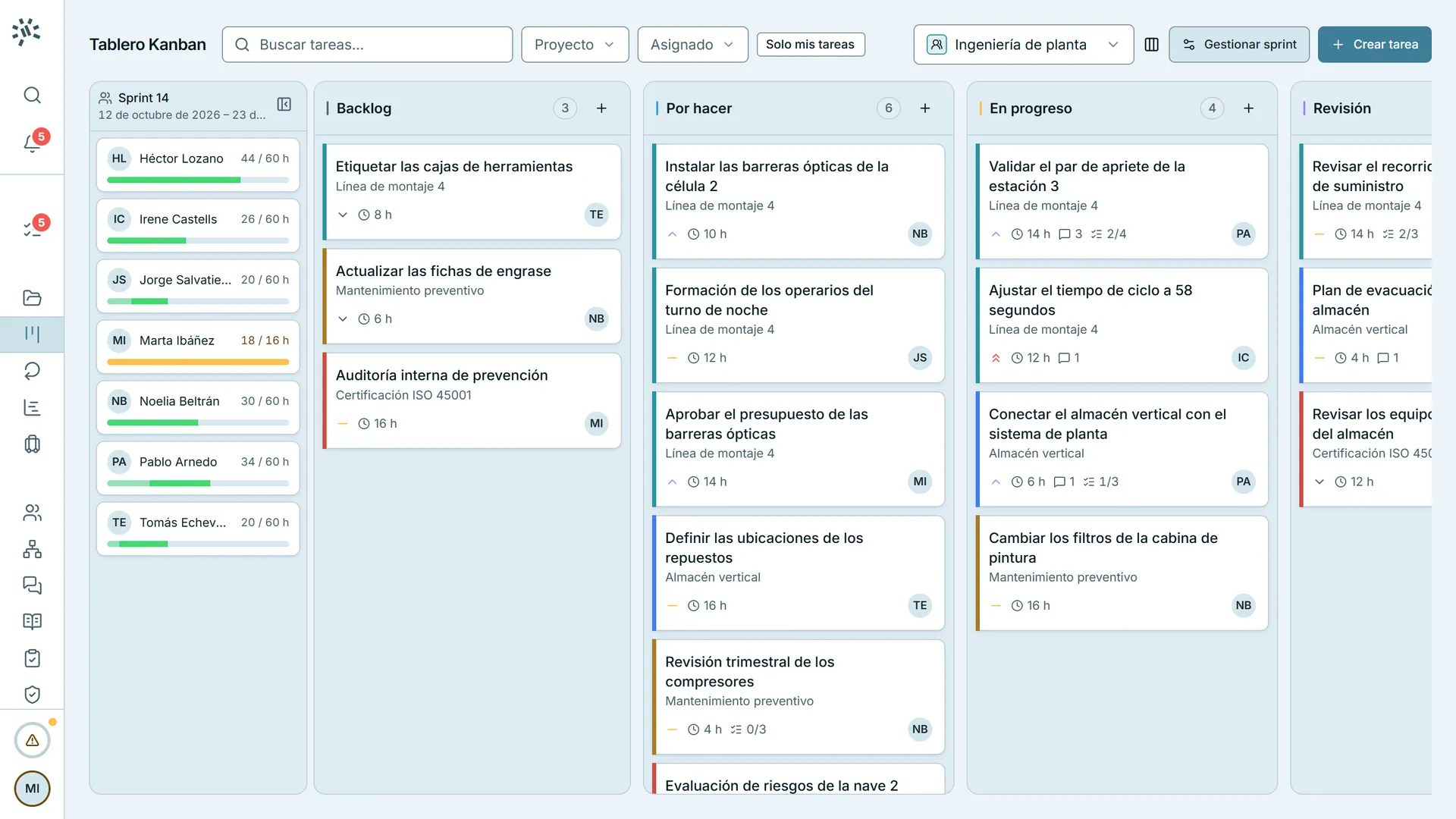
- 1.5 s · You open a task from the board.
- 3.5 s · The camera moves in on its checklist.
- 4.8 s · You tick off a step: the checklist goes to 3/4.
- 7.3 s · You close the task and return to the board.
- Client
- CYP Core
- Year
- 2025
- Status
- In production
- Platforms
- Web · Android
- Services
- Custom web platforms · Native Android and iOS apps
The result
- Clock in on the web or the phone, even without signal
- One inbox to approve time off and clock-in corrections
- Web and mobile app on the same API and the same data
- 3 languages: Spanish, Catalan and English CYP Core Project code, CYP DATA, 2026
The challenge
Bring what was scattered into one platform, with the web for office work and the phone to clock in and approve from anywhere.
- Projects, tasks, hours and time off in one tool
- A reliable working-time record, with clock-in from the phone too
- Each organisation’s data, isolated in the database itself
What it does
Recording and correcting the workday
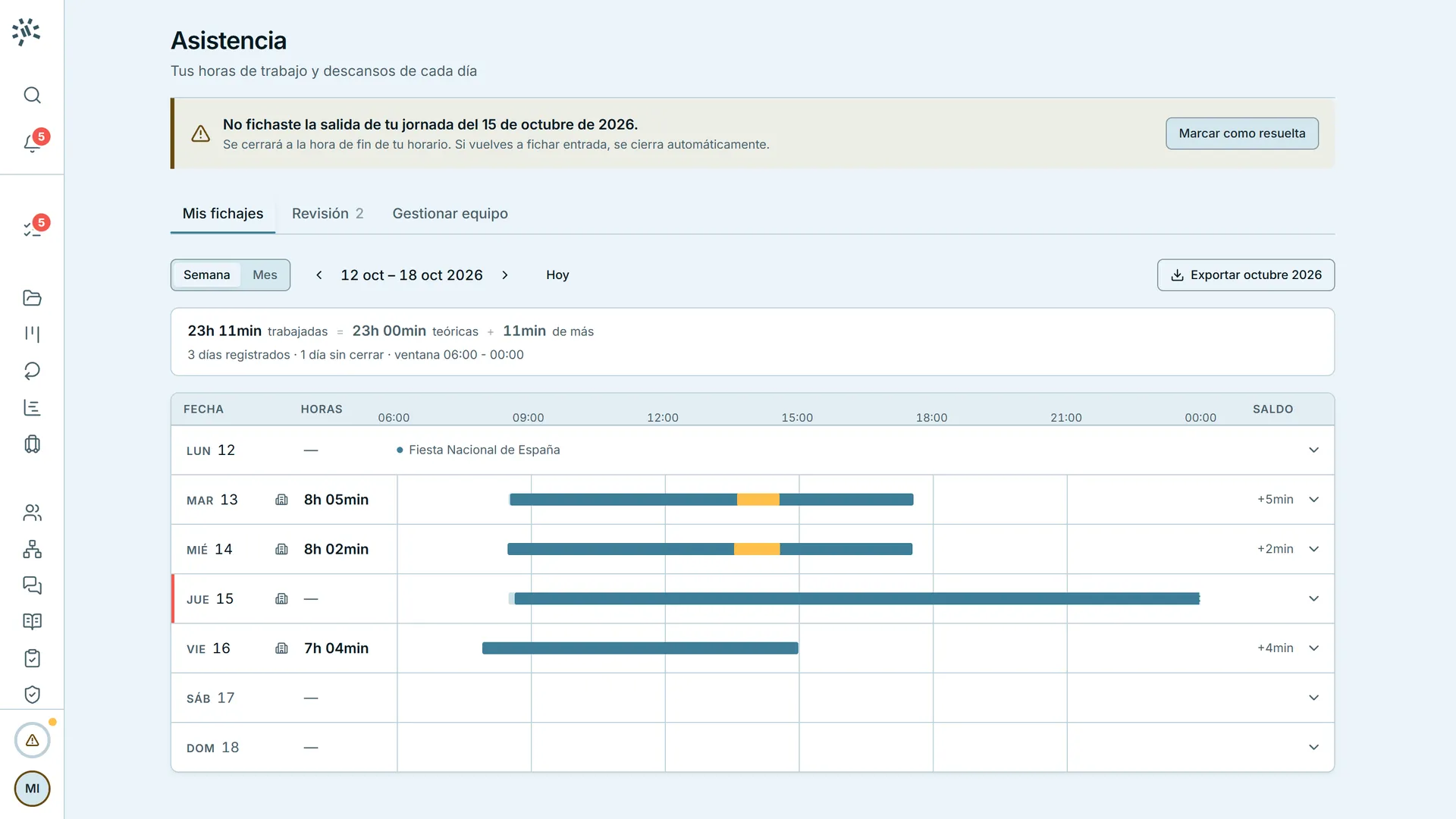
- 1.8 s · You open Tuesday: its schedule and its clock-ins.
- 3.8 s · You press «Edit this day»: the day becomes a line with its clock-ins.
- 5.8 s · You drag the clock-in from 08:32 to 07:45.
- 8.5 s · The camera frames the editor and the change, before and after.
- 11.0 s · You press «Send the request»: it waits for approval.
Forget to clock out and the day is flagged; you drag in the real time and send it for approval.
Planning time off
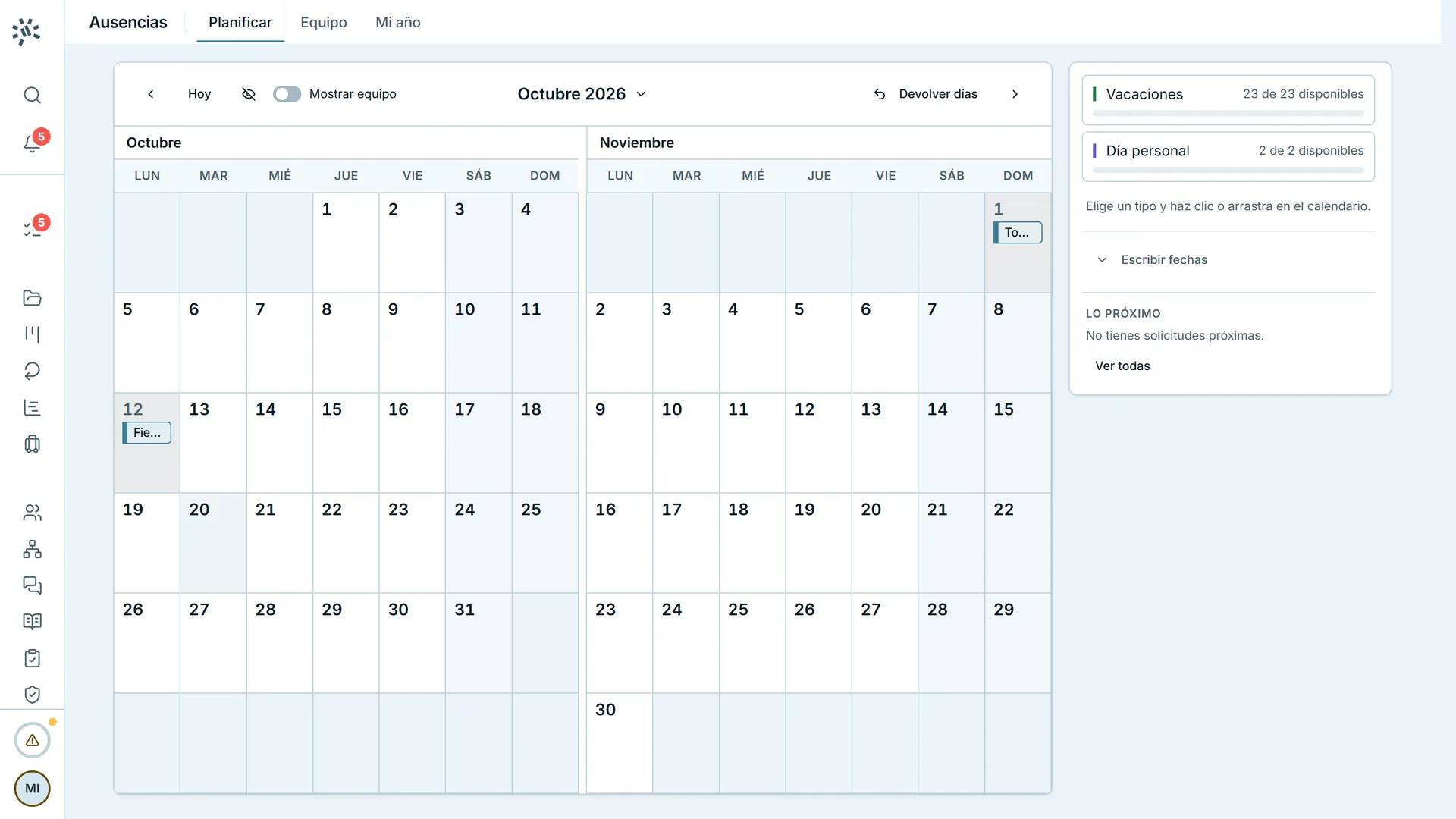
- 1.6 s · You choose «Holidays».
- 2.8 s · You drag across a week in November: 5 days are deducted and 18 will be left.
- 6.8 s · You press «Review»: who else is away and the warning that a third of the team would be out.
- 10.3 s · You press «Request 5 days»: the week shows as pending in the calendar.
You paint the days on the calendar and see at once how many you have left and who else is off that week.
Approving in one place
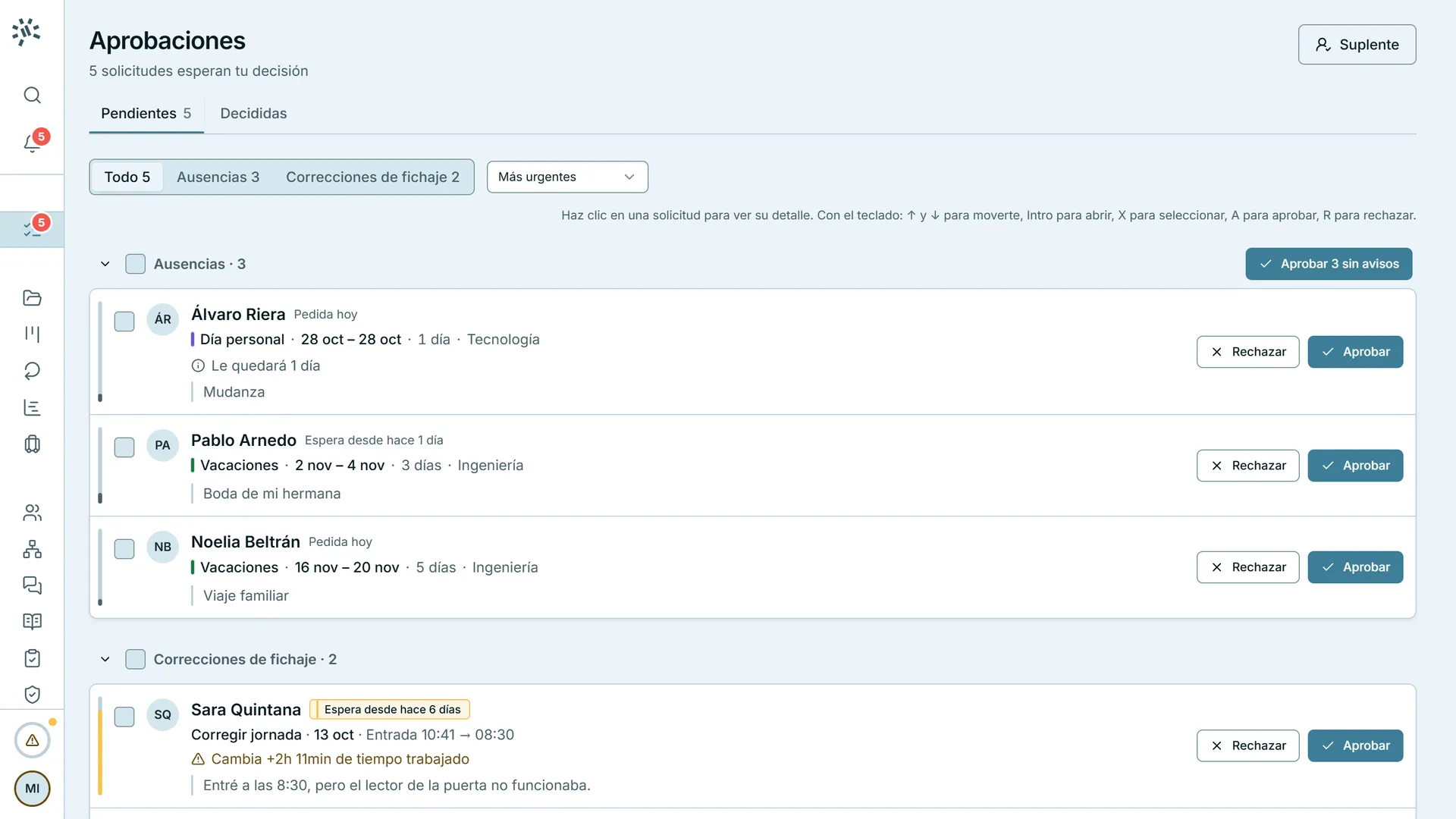
- 1.5 s · You open a holiday request: the dates, who else is away and the balance it leaves.
- 5.3 s · You approve it and the next request opens.
- 7.9 s · You open a clock-in correction: the day as it is and as it would be.
- 11.9 s · You approve it: it stays five seconds under «Undo».
Each request opens with what you need to decide, and approving it opens the next one.
Organising the team’s work
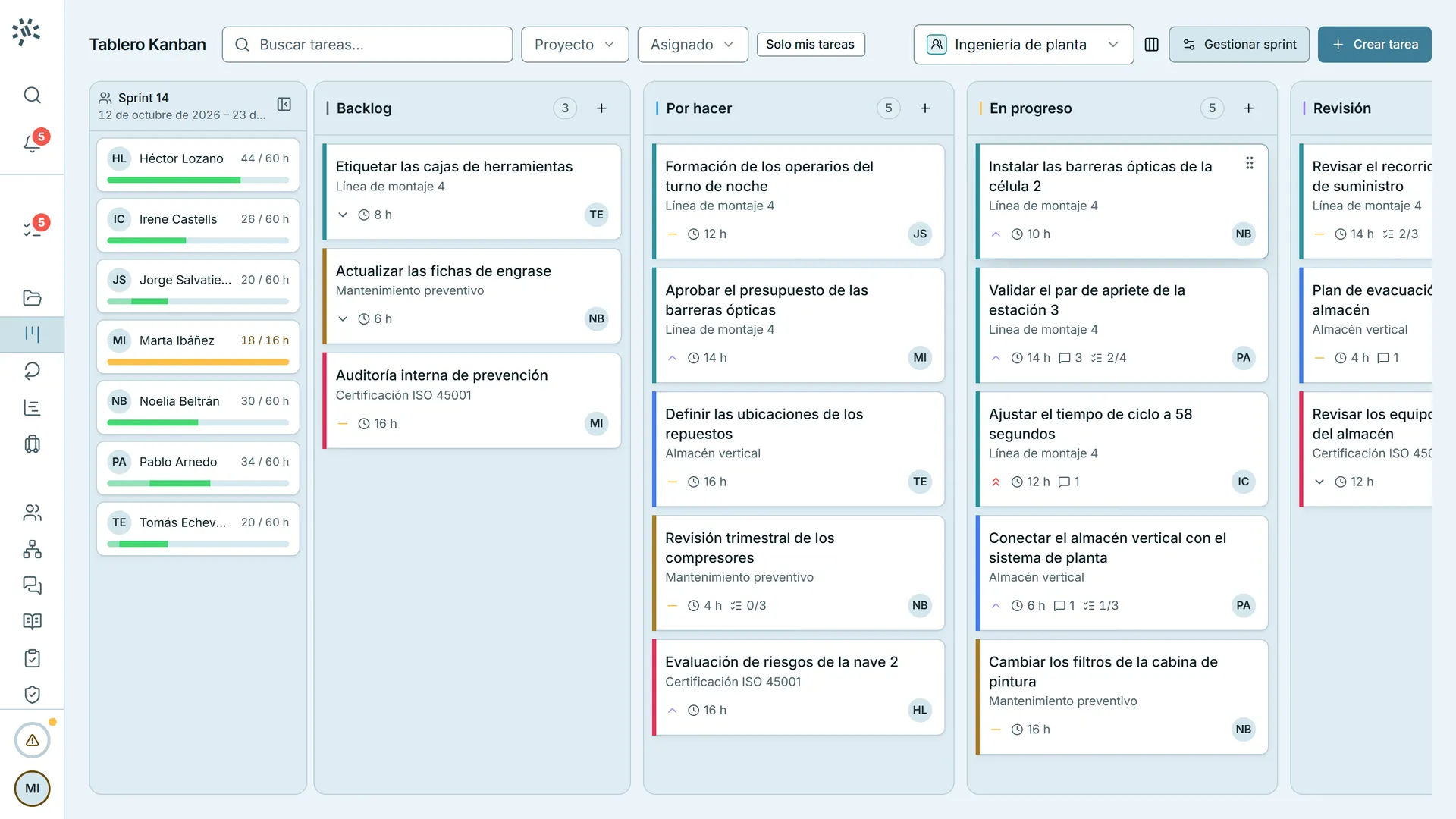
- 0.7 s · The camera frames the columns.
- 1.6 s · You drag a task to the top of «In progress».
- 5.0 s · You drag a colleague from the sprint onto the task: it is assigned.
- 6.6 s · The new assignee's workload goes up and the previous one's goes down.
Each team has its board: you assign a task by dragging a person onto it, and their load updates at once.
Connecting other systems
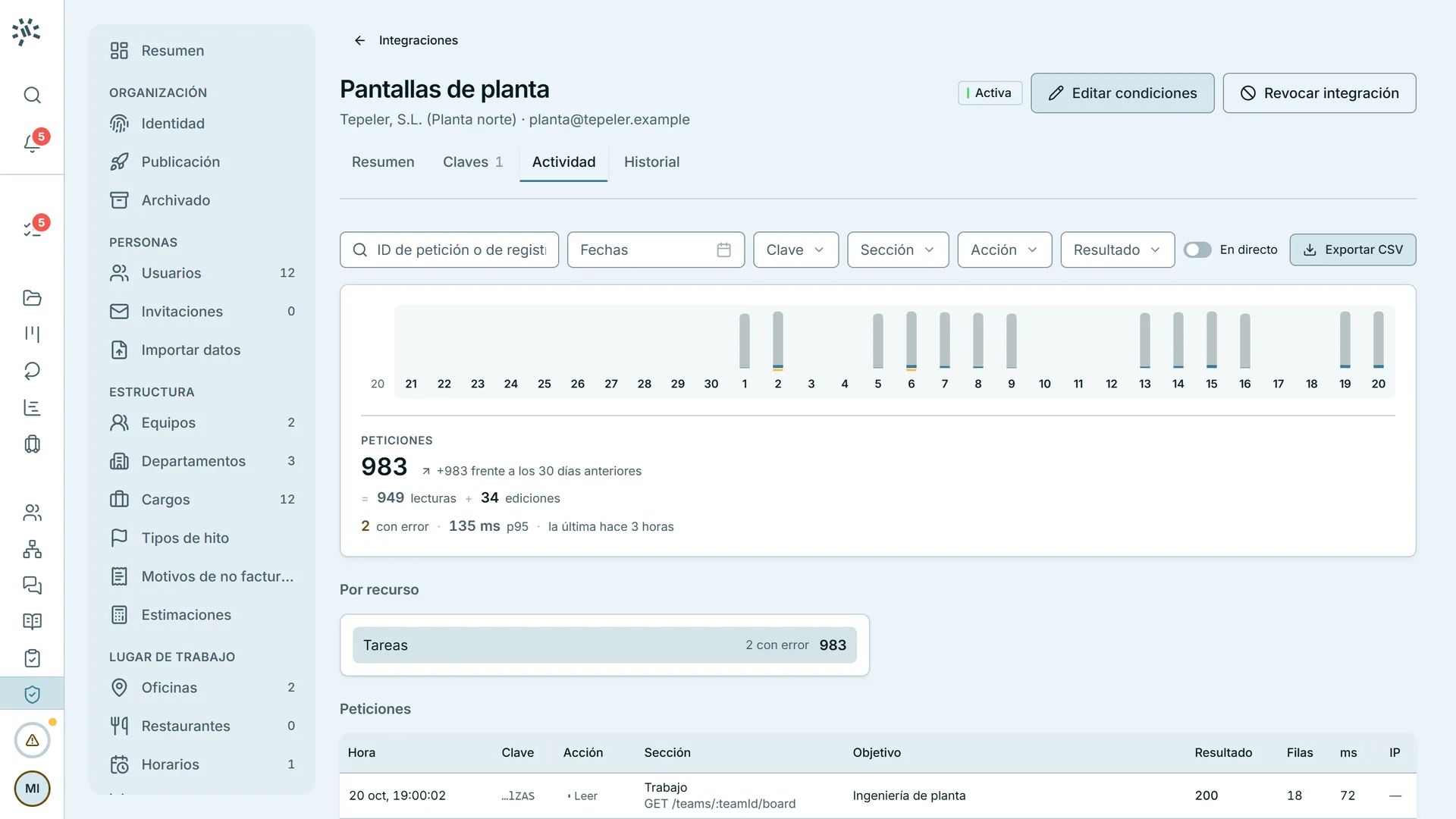
- 1.6 s · You filter the activity by «Edit»: its 34 edits remain.
- 6.0 s · You open the latest call: the result, the task it touched, the key and its scope.
- 9.8 s · You press «Next»: the previous call.
- 12.3 s · You close the detail.
Each system has its own key, with permissions section by section, and every call is logged.
How it fits
It connects to other systems through a documented REST API, with a key and its own permissions for each system.
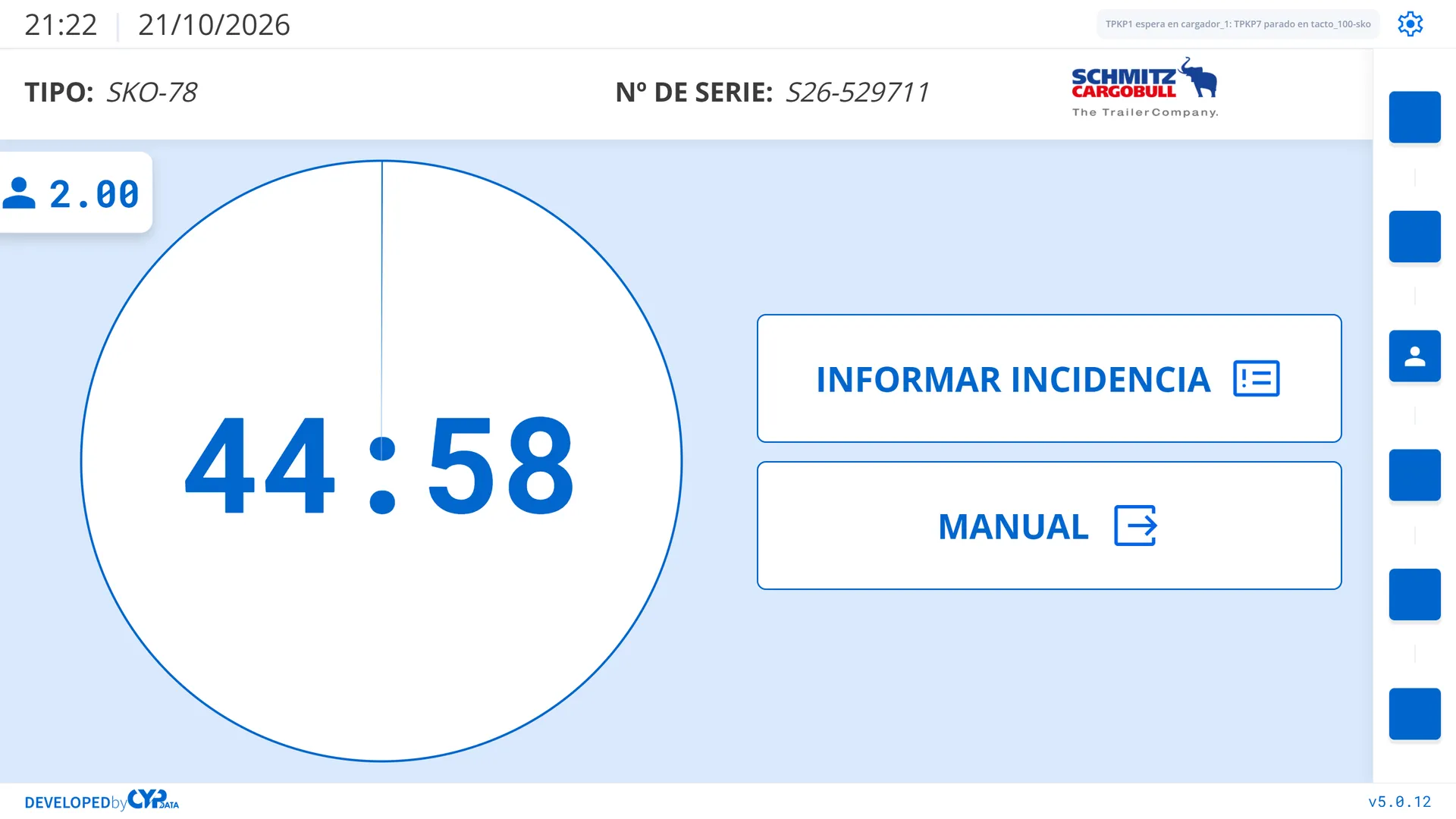

A similar project? Let’s talk.
You hear back from the team that does that work: CYP ENGY, CYP DATA or CYP SIRE.